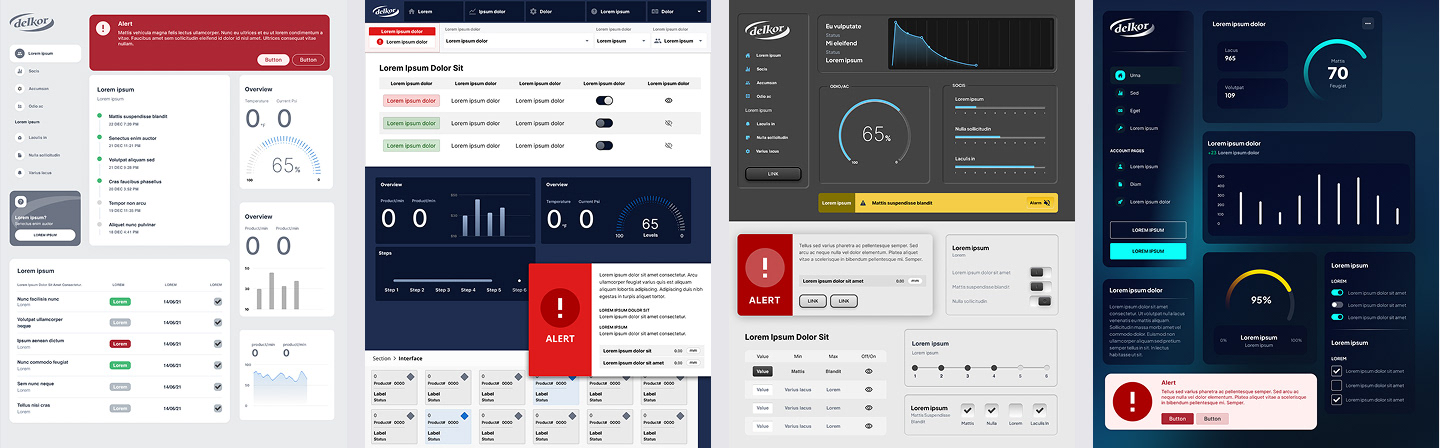
Human Machine Interface (HMI) Design
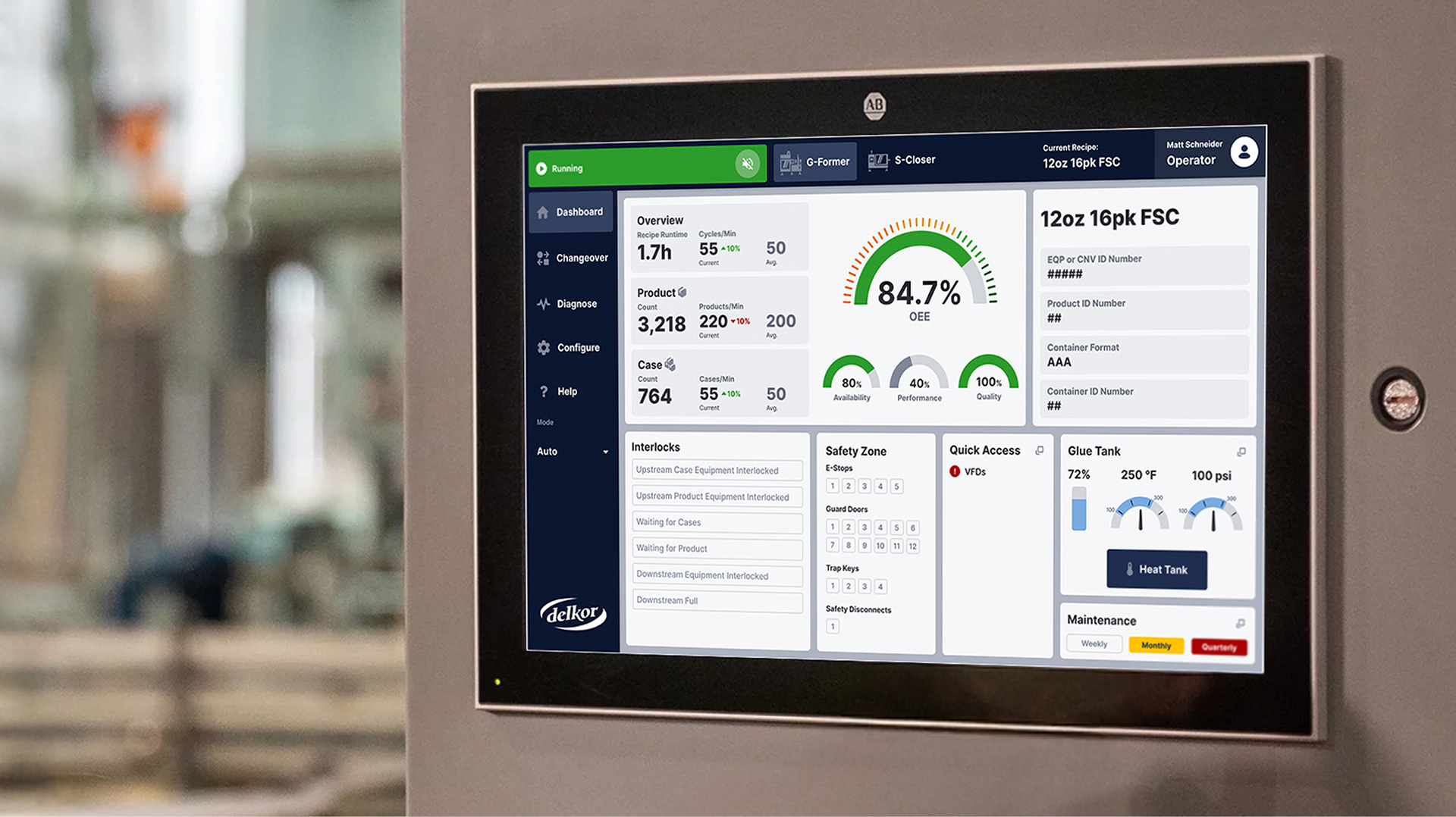
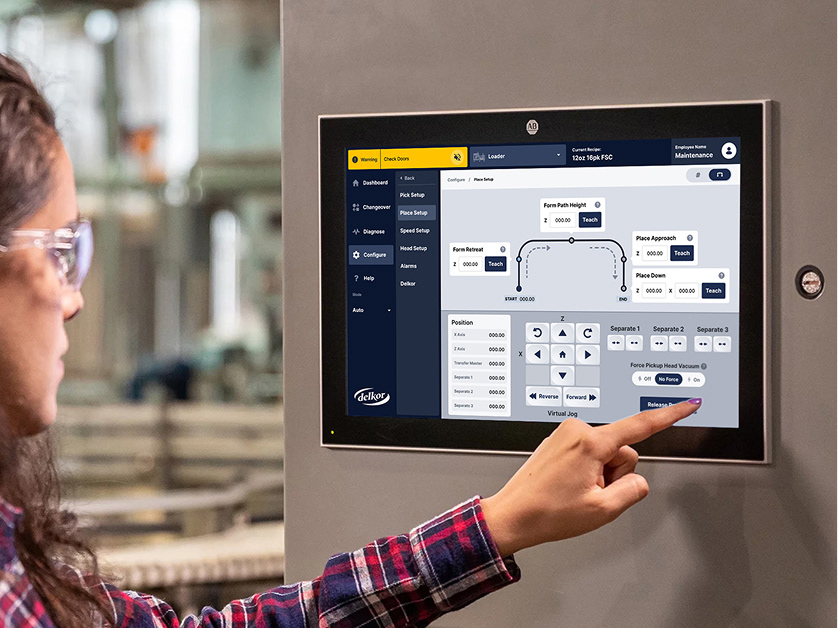
A ground-up HMI redesign for Delkor, a robotics packaging machine manufacturer. Delkor's customers and engineers needed software that could surface problems fast and guide factory tasks without extensive training. Clarity was prioritized as an operational necessity. My role was to design the visual system. All the components, state, gauge, and alert pattern. The whole team was small and agile with one project manager, one UX lead, myself as design lead, and our engineering partners at Delkor. We were able to perform 2 rounds of user testing with additional feedback given during a conference reveal of the new design system. I also performed QA of all system screens in person at Delkor headquarters.
My Role
HMI Designer
Product Designer
Product Designer
Team
Client: Delkor Systems
Development Platform: Optix
Development Platform: Optix
Project Goals:
Create a user experience that requires minimal training.
Design an industry-leading user interface.
Use a single application of the software across all machines.
Fast turnaround of deliverables.
Design an industry-leading user interface.
Use a single application of the software across all machines.
Fast turnaround of deliverables.
User Feedback and Success Metrics
Success was measured through user satisfaction scores, Delkor leadership and industry response which was overwhelmingly positive. Our work was highlighted during a keynote presentation at Rockwell Automation's Automation Fair®.
“So user friendly and easy to navigate.”
– Delkor Professional
“State of the art. Really impressive.”
– Conference Attendee
“Way better than any HMI I’ve ever seen.”
– Conference Attendee
“We can say with complete confidence that no one else’s [HMI] look nearly as good as ours do.”
– Delkor Engineer
Our old screens were holding us back from looking like a premium product. We’re back to where we should be as a premium player in the industry.
– Delkor CEO, paraphrased feedback
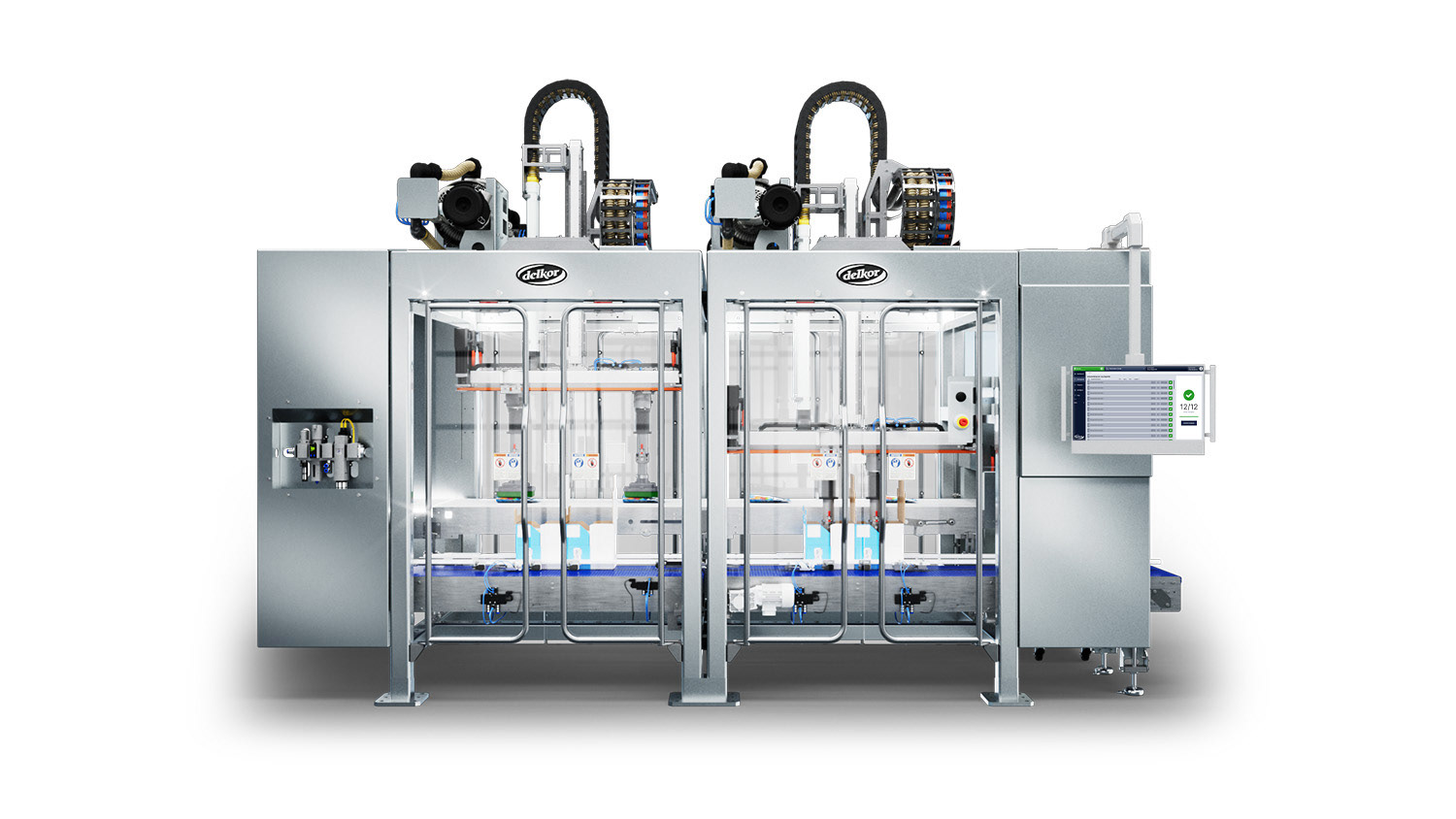
Example of Delkor machine and HMI location.
Before and After Gallery
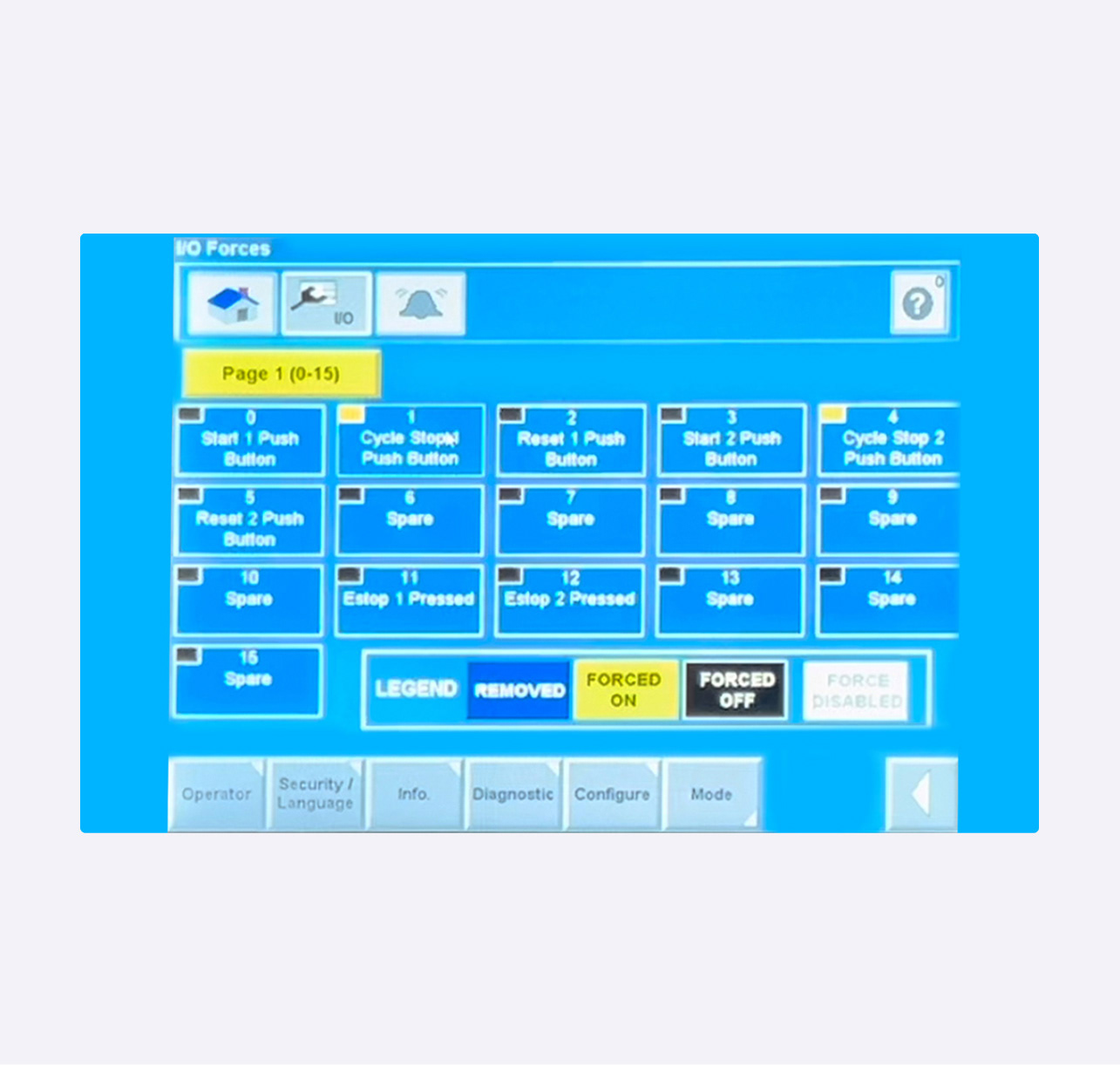
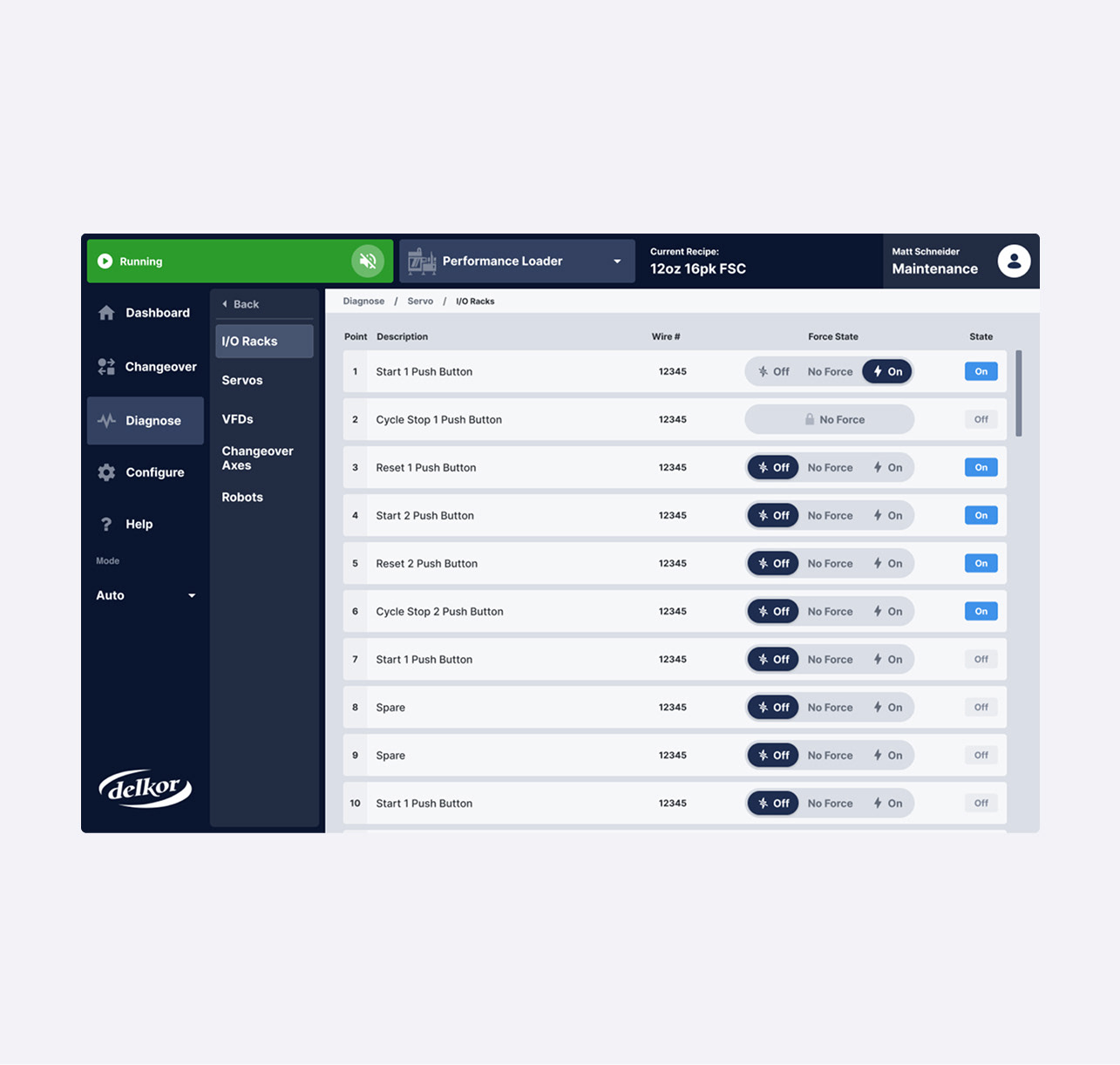
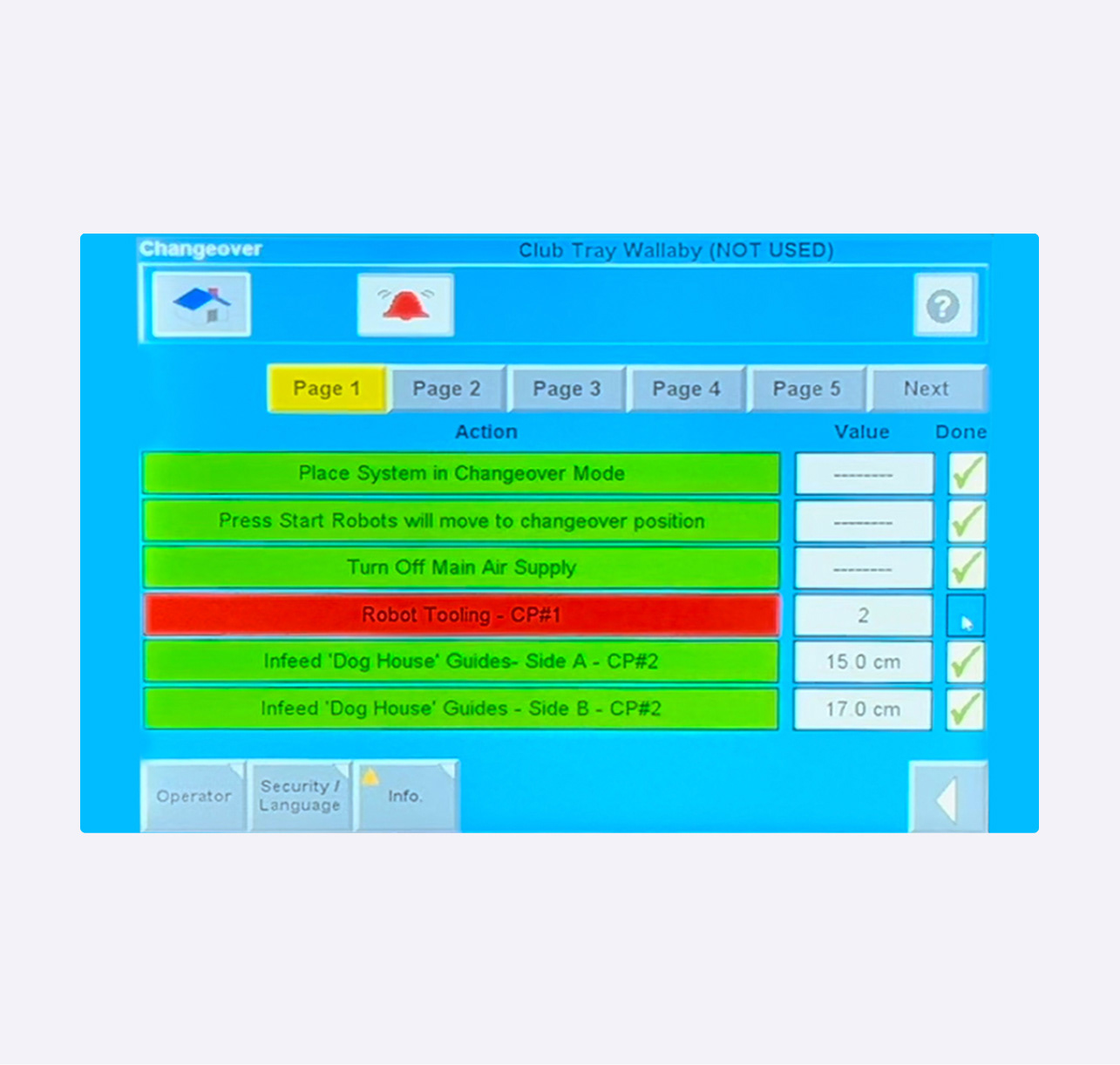
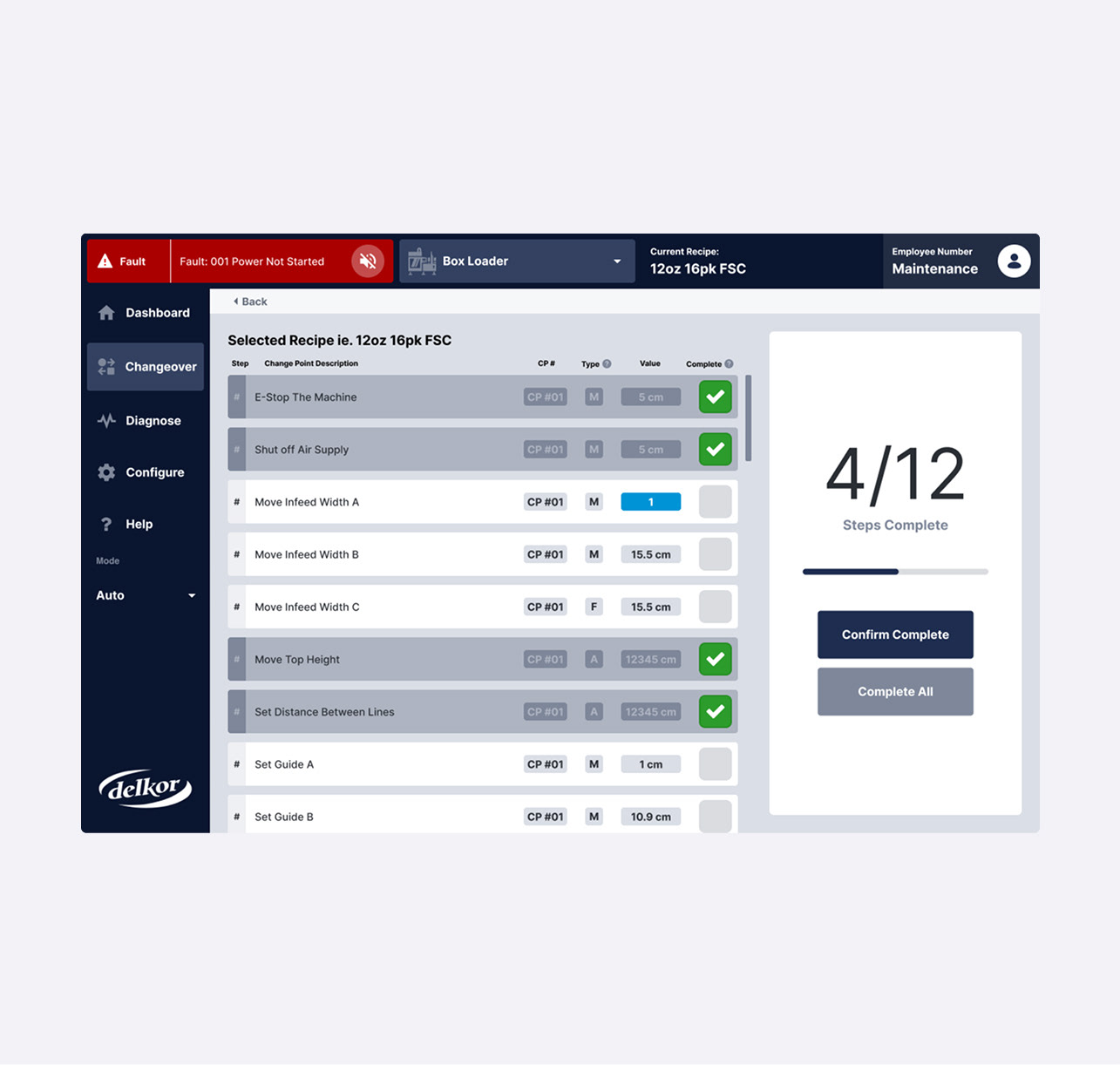
Visualization of the original HMI User Interface on the left and updated user interface on the right. View notes on each screen below.
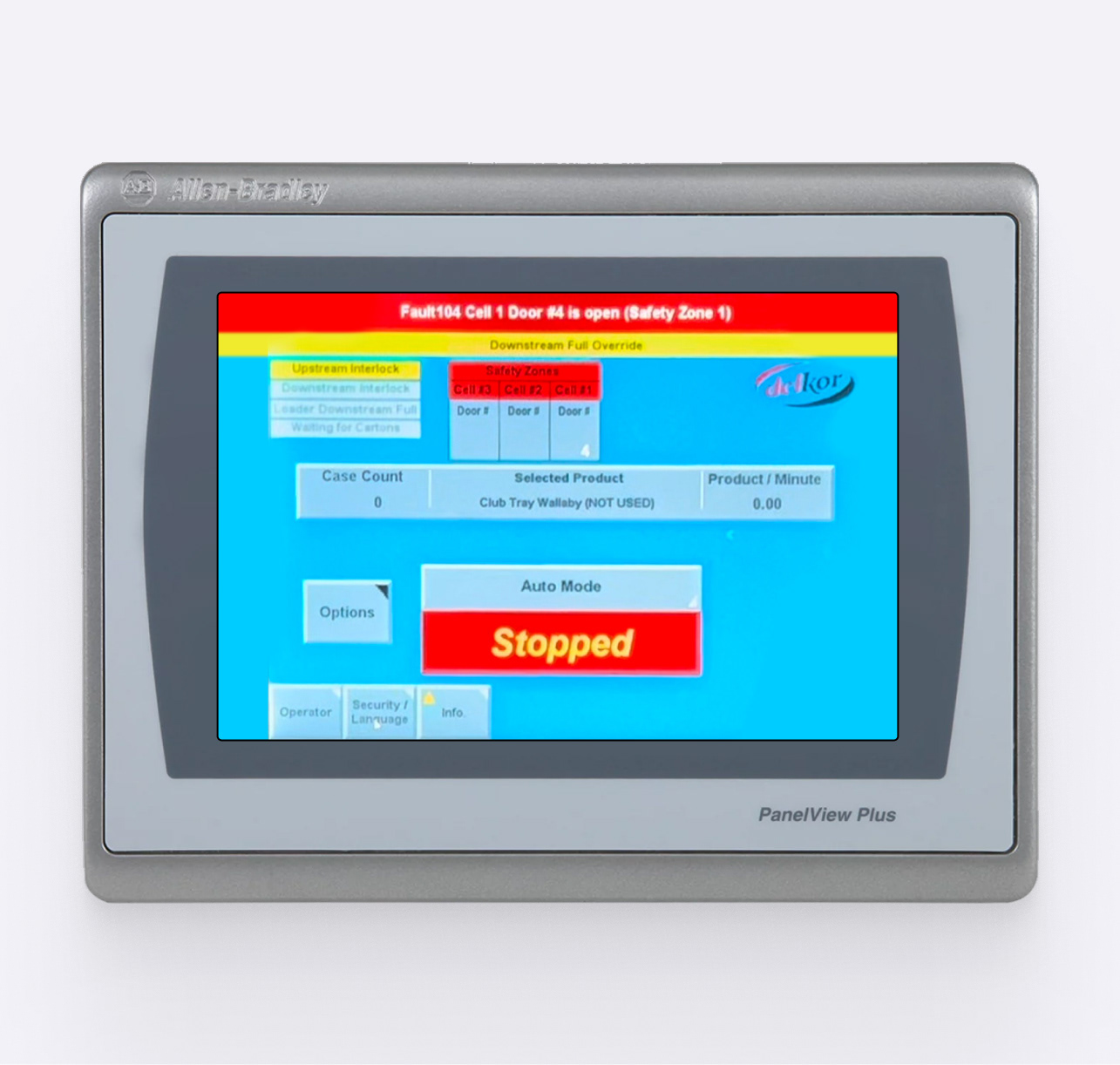
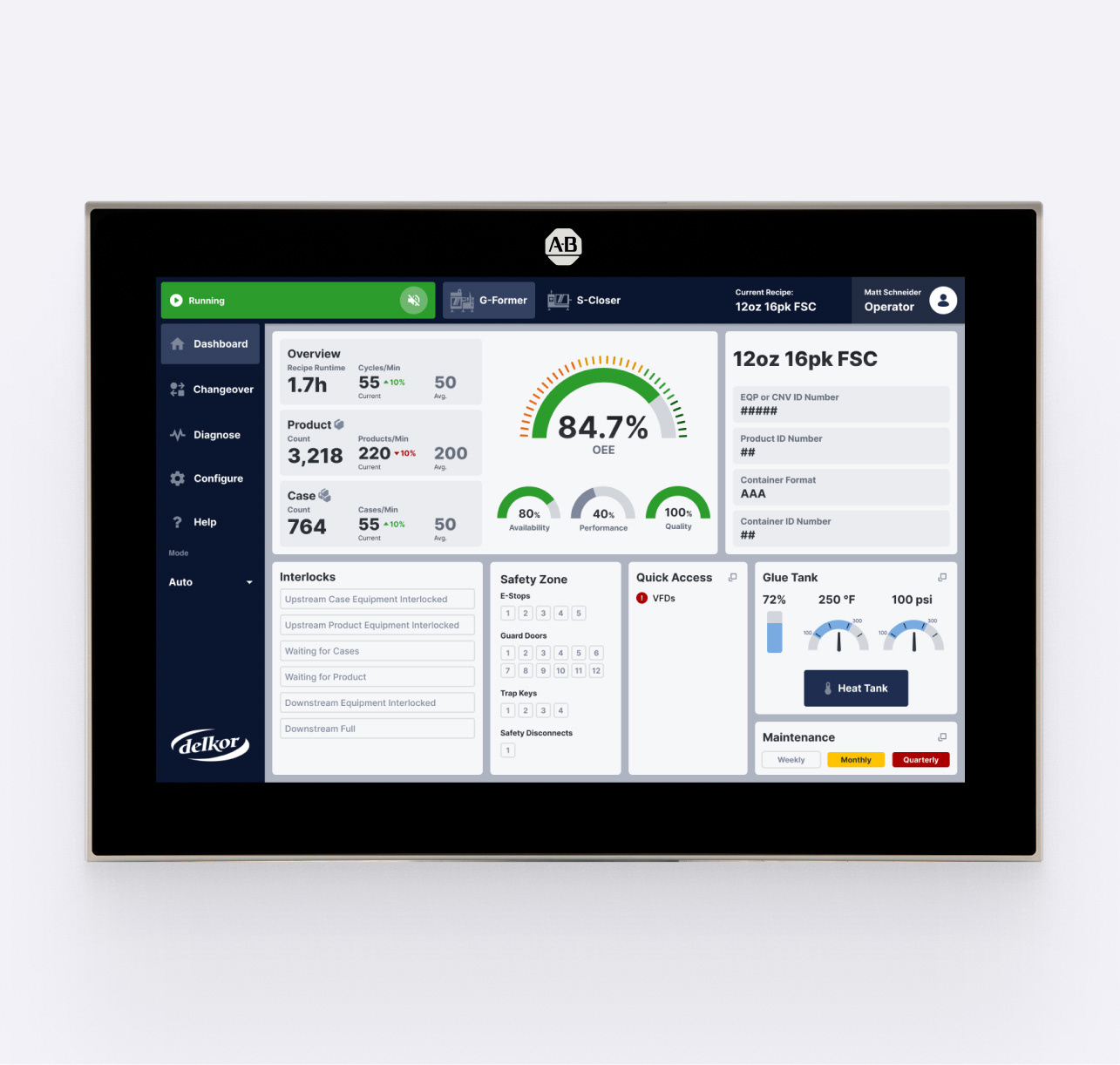
Dashboard:
Used to get a snapshot of machine performance, job info, and quick access to key functions.
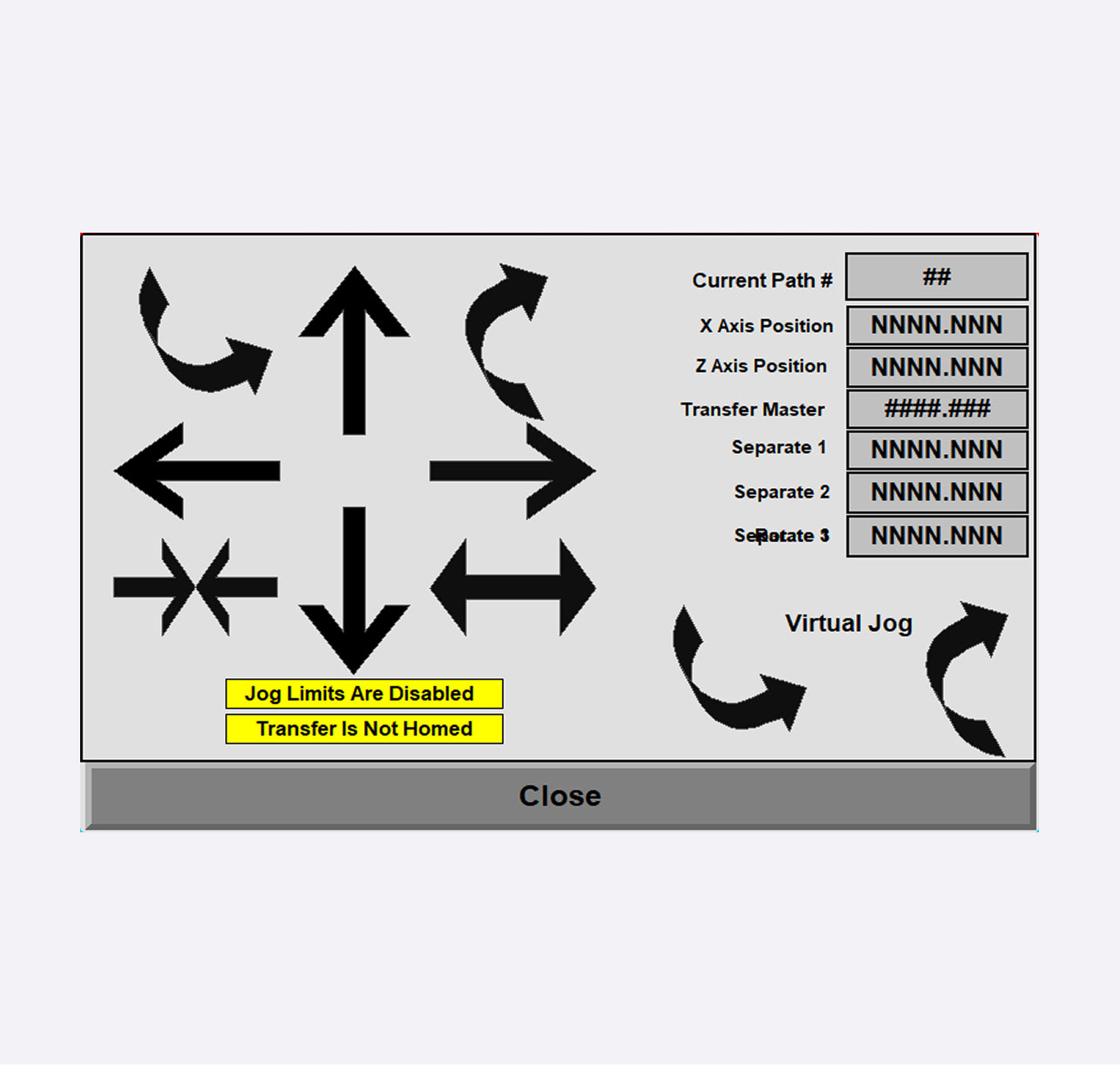
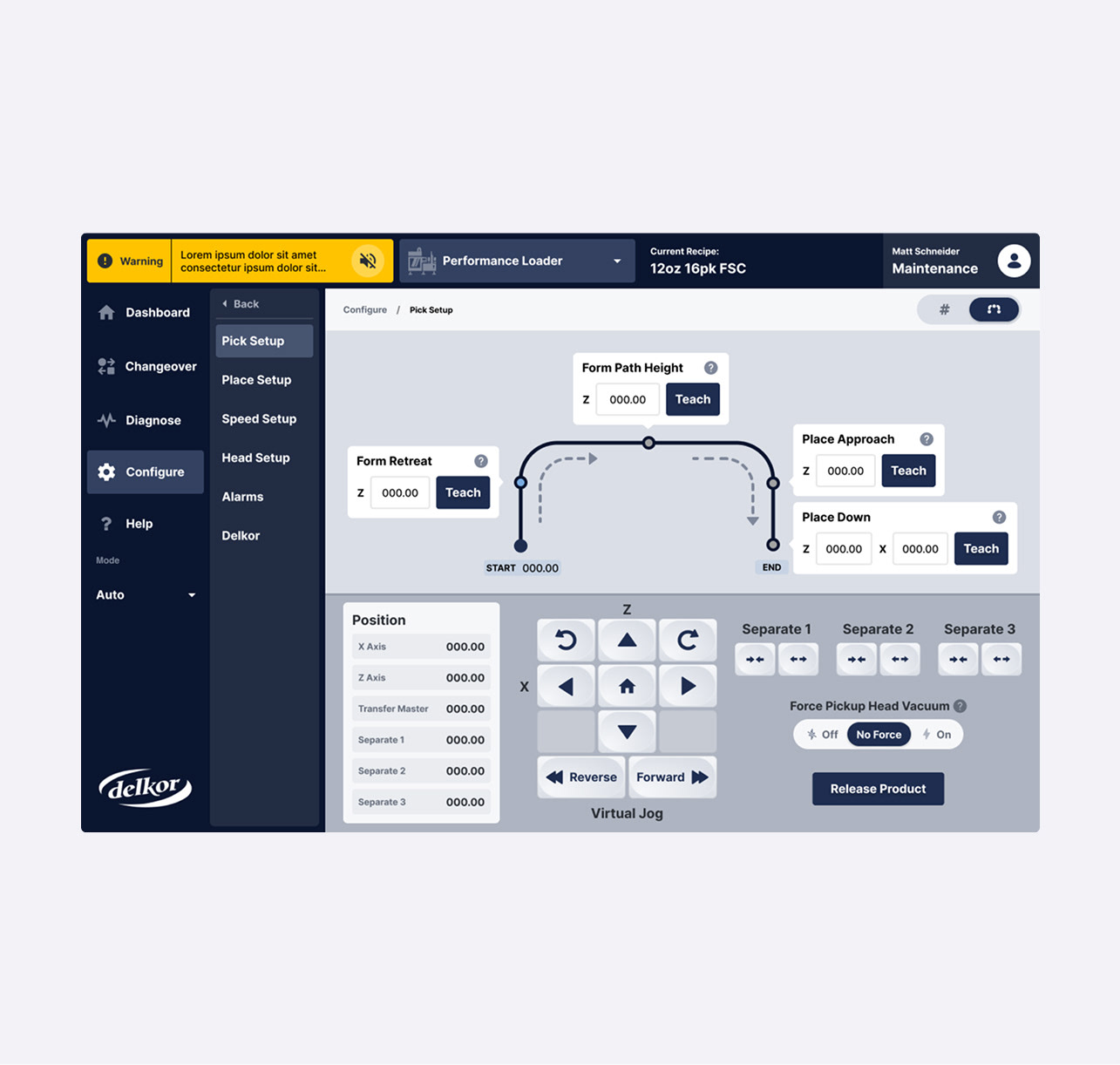
Robot Controls:
Used to manually tune robot(s) position for the purposes of picking up, moving, and placing various items on a conveyor.
I/O Controls
Used to manually isolate and test physical functions of the machine to diagnose or troubleshoot.
Changeover
Used to guide factory operators through changing out the type of product being packaged.
Early Style Exploration